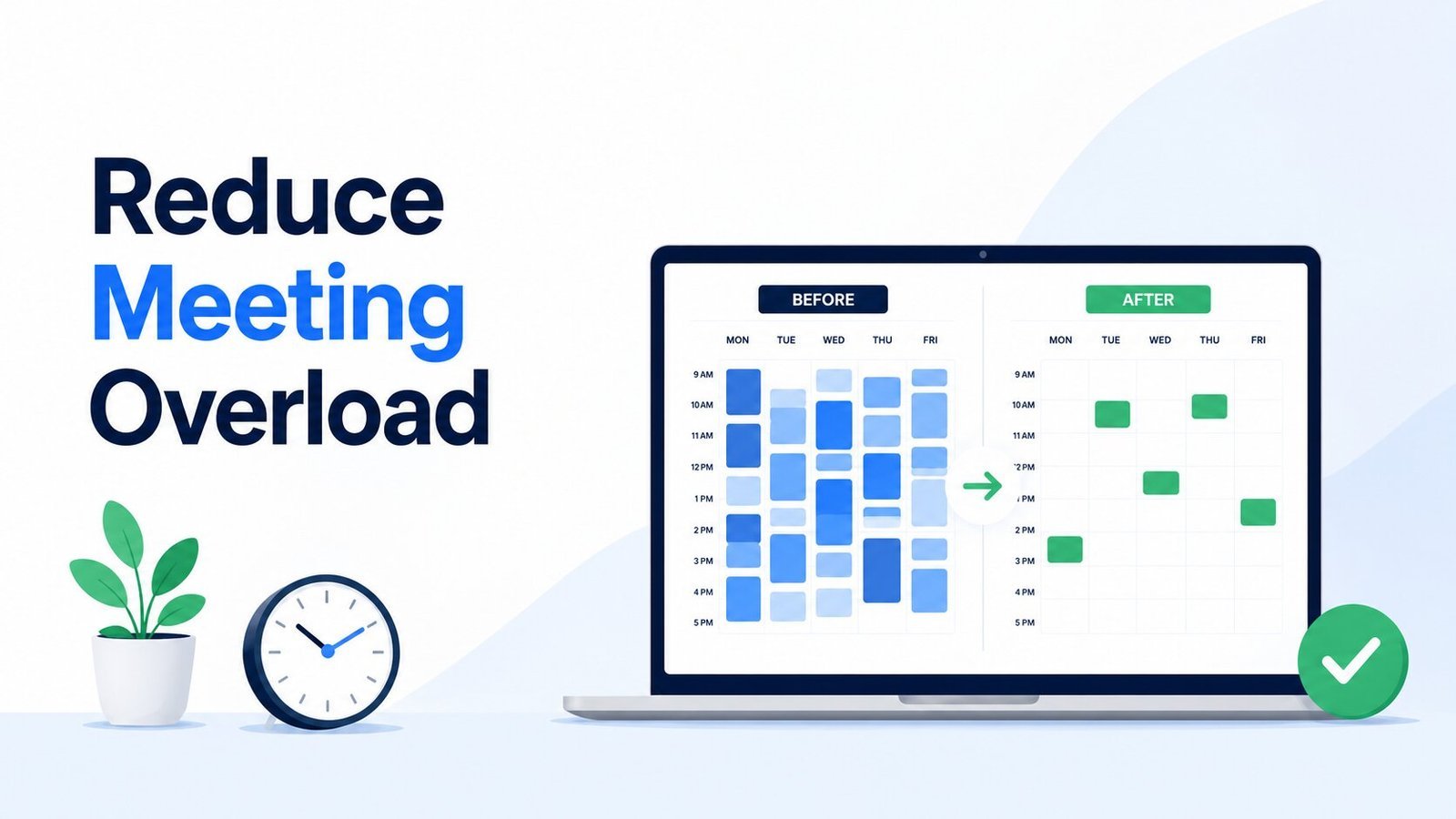
Too many meetings can make a workday feel busy without leaving much room to actually get things done. Focus time gets broken into small gaps, back-to-back calls leave little space to reset, and work that needs real concentration keeps getting pushed later.
You can reduce meeting overload without stripping the calendar bare. Some conversations are worth having live. The problem is when recurring calls, oversized invite lists, or default one-hour slots take more time than the work really needs.
Start with the calendar you already have. Once you can see which meetings are earning their time and which ones need to change, it becomes much easier to create more space for focused work without leaving people out of the loop.
Quick Overview
- Meeting overload starts when meetings repeatedly crowd out focused work, preparation, or recovery time.
- A meeting audit helps you decide what to keep, replace, shorten, reduce, or remove from the calendar.
- Cutting meetings only helps if the time you recover stays available for meaningful work.
- The meetings that remain should have a clear purpose, useful preparation, and a defined outcome.
When Do You Actually Have Meeting Overload?
Having a busy calendar does not automatically mean you have meeting overload. Some roles genuinely require more live collaboration than others.
The problem starts when meetings regularly take up so much of the day that the work around them becomes harder to do well. You may still be attending useful conversations, but the overall schedule leaves too little room to prepare, think, follow through, or recover between calls.
A few patterns are worth noticing:
| What you notice | What it may be telling you |
|---|---|
| Focus work keeps moving to late afternoon or after hours | Meetings are using up your most workable time |
| Calls are repeatedly back-to-back | There is little room to prepare or reset |
| People attend but rarely contribute | The invite list may be broader than necessary |
| The same meeting happens automatically every week | The frequency may no longer match the need |
| Meetings often end without a decision or next step | The meeting may not have a clear enough purpose |
| People multitask through much of the call | Their live attendance may not be necessary |
There is no single meeting count that works for every job. What matters more is what those meetings are doing to the rest of the workday. When they repeatedly fragment useful work time without creating enough value in return, the calendar deserves a closer look.
Start With a Meeting Audit
Once meeting overload is visible, resist the urge to start deleting random invites. Recurring meetings are a better place to begin because they can stay on the calendar long after the original need has changed.
For each one, decide what should happen next.
Keep It
Keep a meeting when people genuinely need to work through something together.
That usually means the value comes from live discussion, decision-making, problem-solving, sensitive feedback, or coordination that would become slower or more confusing in a long written exchange.
The meeting should be doing something that is difficult to replace, not simply occupying a familiar place on the calendar.
Replace It
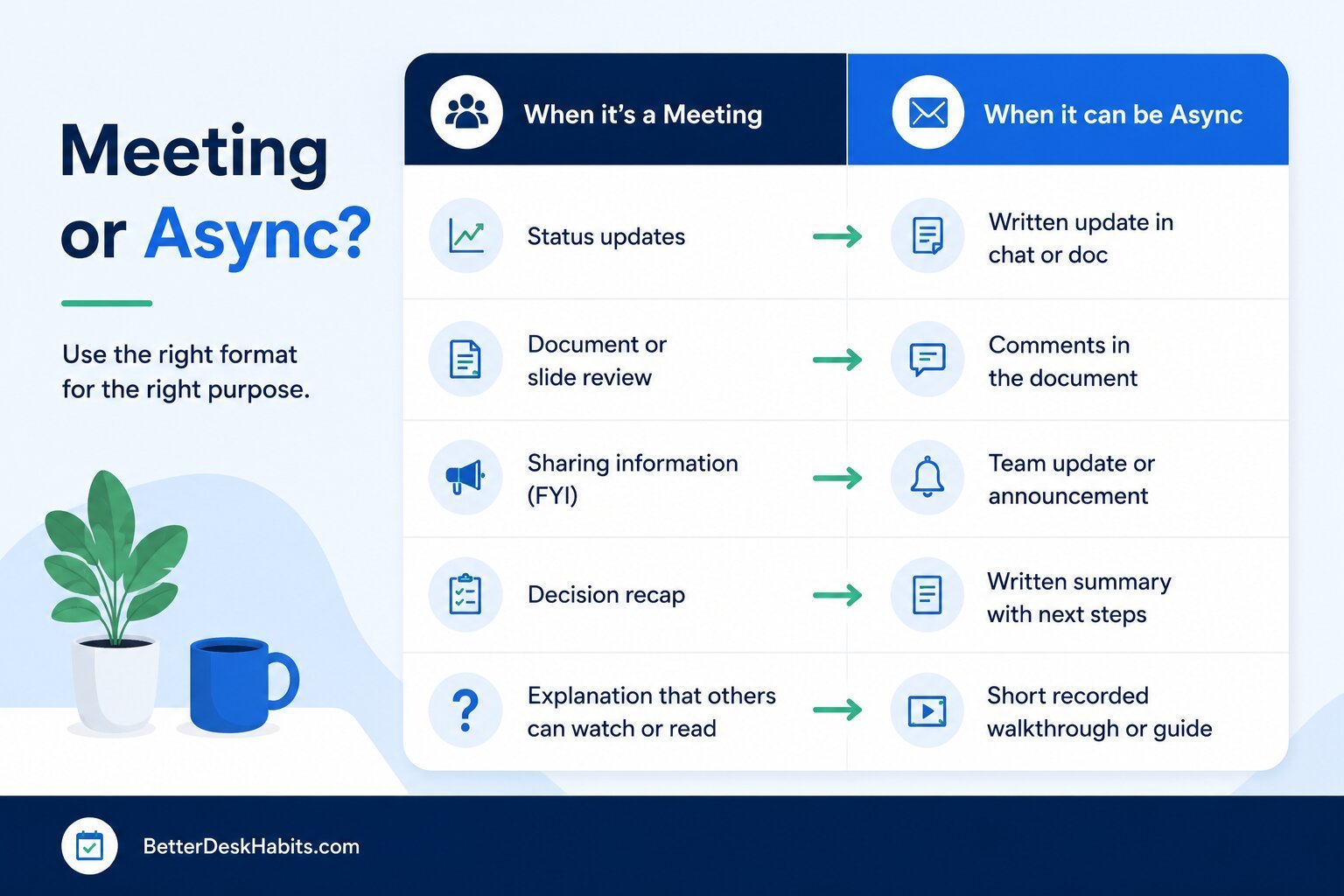
Some meetings exist mainly because information needs to move from one person to another.
Routine status updates, straightforward progress reports, simple handoffs, or information people can review on their own may work better outside a meeting.
If you are unsure whether the work genuinely needs people together, the distinction between asynchronous and synchronous communication can help separate information-sharing from conversations that benefit from real-time interaction.
Replacing a meeting does not mean removing the communication. It means giving that communication a format that fits it better.
Shorten It
A useful meeting can still be longer than it needs to be.
If the conversation regularly reaches its decision in the first twenty minutes and the remaining time is mostly repetition or drift, reduce the slot instead of preserving the default length.
The meeting length should follow the work, not the calendar template.
Meet Less Often
A meeting can also be useful without needing to happen every week.
Ask what would actually be lost if the cadence changed. A weekly check-in may work just as well every other week, while a monthly review may be enough for work that changes slowly.
Reducing frequency can recover a surprising amount of time without removing the meeting completely.
Invite Fewer People
Not everyone who needs the outcome needs to attend the conversation.
Separate the people who need to contribute live from the people who simply need to know what was decided. The second group may be better served by a concise recap afterward.
That distinction can reduce meeting overload across the team rather than saving time only for the person who owns the calendar.
Protect the Time You Get Back
Removing or shortening meetings only helps if the open time stays usable.
A free hour can quickly disappear into another call, several small tasks, or a string of interruptions. If that keeps happening, the calendar looks lighter but focused work is still difficult to find.
Try to preserve some of the recovered time in blocks that are large enough to use well. That might mean keeping part of the morning meeting-free, grouping calls into a smaller part of the day when practical, or leaving some space between demanding meetings instead of booking them back to back.
The right pattern depends on the work. A highly collaborative team may not be able to protect long quiet stretches every day, while other roles may depend on them.
This is a real trade-off rather than an argument against meetings. INSEAD’s analysis of meeting scheduling describes the tension between time spent coordinating and time available for producing work, and discusses the value of protecting quiet work time at the team level rather than leaving every individual to defend it alone.
The time you recover is still working time. Treat it as space for the work meetings are supposed to help move forward, not as an empty calendar slot waiting for another invite.
Make the Meetings You Keep Earn Their Time
Once you have fewer meetings, the next question is whether the remaining ones are actually useful.
A meeting can deserve a place on the calendar and still waste time if nobody is clear about what needs to happen, people arrive without the information they need, or the conversation ends without a usable outcome.
Know What Needs to Happen
A topic is not the same as a purpose.
Project update tells people what the meeting is about. Decide whether we can move the launch date tells them what the meeting needs to accomplish.
Before the meeting starts, make the expected outcome clear enough that people understand why their time is needed.
Let People Prepare Beforehand
If people need to review a document, compare options, or think through a decision, give them the material before the meeting.
Otherwise, live time gets spent reading background information that could have been handled earlier.
Preparation does not need to become homework for every call. It matters most when people need some context before they can contribute well.
End With a Decision or Clear Next Step
A meeting should leave behind something more useful than a completed calendar event.
Before everyone leaves, confirm what was decided, what still needs attention, who owns the next step, and when it needs to happen.
If the conversation will matter later, record the outcome somewhere people can find it. That keeps the next meeting from becoming a recap of the previous one.
Keep the Calendar From Filling Back Up
Reducing meeting overload once is useful. The harder part is stopping old habits from slowly rebuilding the same calendar.
Recurring meetings renew automatically, new projects create new calls, and older meetings can continue long after their purpose has changed.
Review Recurring Meetings Again
Give recurring meetings a natural review point.
When a project changes phase, a decision has been made, or the original reason for meeting no longer exists, revisit the invite instead of letting it continue indefinitely.
A meeting that was useful three months ago does not automatically deserve the same place on the calendar today.
Atlassian’s current Team Meeting Audit similarly recommends revisiting meeting changes after implementation and rerunning the audit quarterly or as needed because calendars tend to fill again over time.
Make It Easier to Skip Meetings You Don’t Need
Not everyone invited to a meeting needs to attend every time.
If someone does not need to contribute live, make it acceptable for them to decline and catch up through the decision or recap afterward. Attendance stays connected to contribution rather than habit.
When a meeting disappears entirely, make the replacement path clear too. If a weekly status call becomes a written update, good asynchronous communication becomes more important because people still need enough context and a reliable place to find the information.
Protect the Space You Created
Pay attention to what happens after meetings come off the calendar.
If every canceled call is quickly replaced by another recurring meeting, the team eventually ends up with the same problem again.
The calendar does not need to stay empty. New meetings simply need to earn the time they take instead of filling whatever space becomes available.
A Better Calendar Is Not Just a Shorter One
Reducing meetings is only useful if the work still moves clearly afterward. A calendar with fewer calls is not much better if decisions become slower, updates get lost, or people still cannot find enough uninterrupted time to do their work.
Look at what changes after you adjust the meeting load. If communication stays clear, decisions still happen when they need to, and people have more usable time between conversations, the changes are working.
If the calendar gets lighter but the same problems simply move somewhere else, revisit what was removed, what replaced it, and which meetings may still need to change.
Frequently Asked Questions
Do Meeting-Free Days Actually Work?
They can help when they create real blocks of uninterrupted time. The benefit is smaller if the same meetings are simply squeezed into other days or the supposedly meeting-free time remains heavily interrupted.
How Long Should a Work Meeting Be?
There is no ideal length for every meeting. Give the conversation enough time to reach its intended outcome, but do not keep a 30- or 60-minute slot simply because it is the calendar default.
How Do I Politely Decline a Meeting I Don’t Need to Attend?
Be clear without suggesting that the meeting itself is unimportant. If your input is not needed live, you can decline and offer to send your input beforehand, review the recap, or follow up on anything that needs your attention afterward.