Most workdays become messy because of small switches. You check one email, reply to a message, update a task, join a meeting, and then try to return to the work you were doing before.
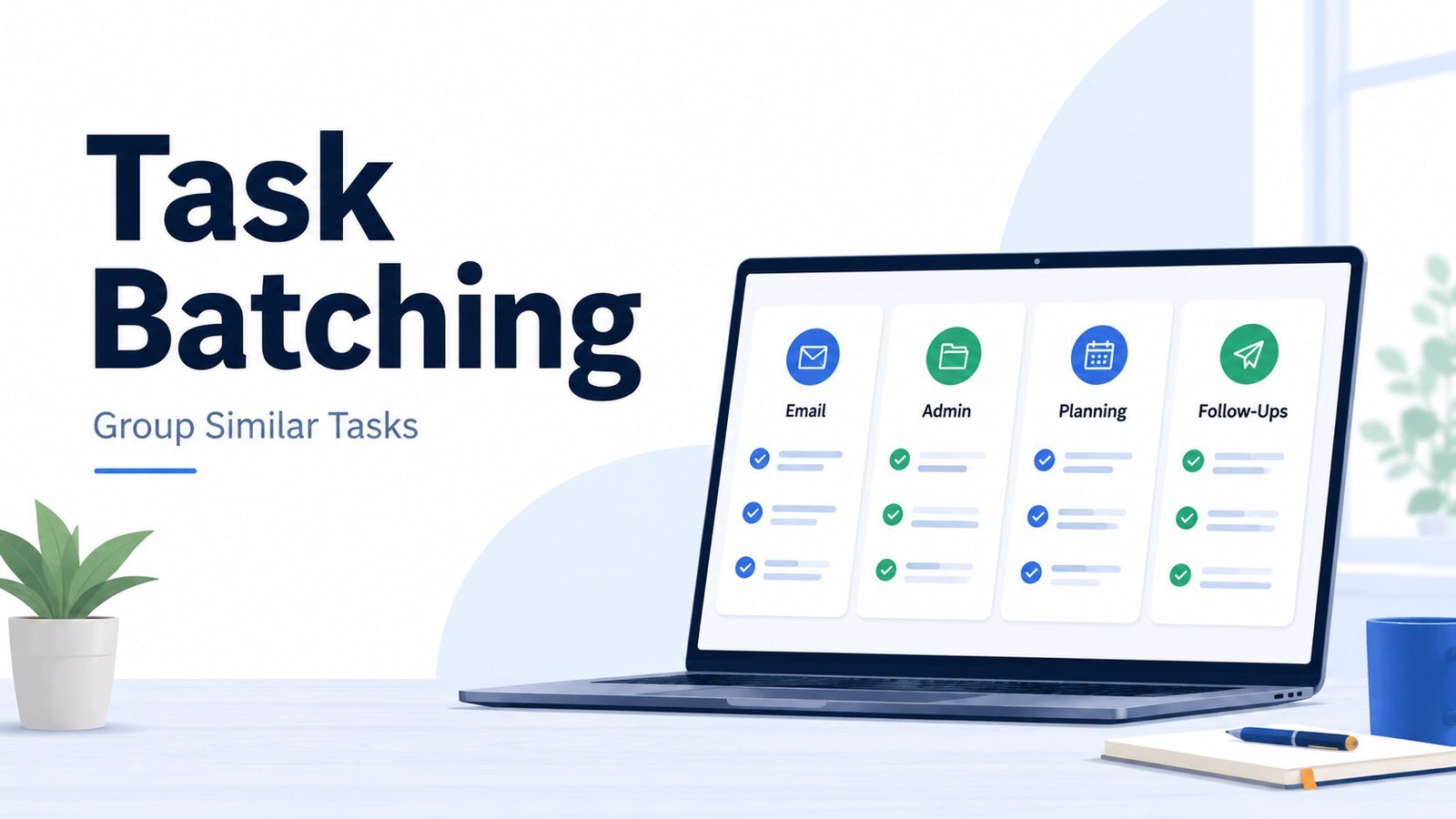
Task batching helps reduce that constant back-and-forth by grouping similar tasks together. Instead of handling every small task the moment it appears, you give repeated work like emails, admin tasks, follow-ups, and planning a clearer place in your day.
Used well, task batching is not about making your schedule rigid. It gives everyday work a simple structure, so your attention is not pulled in too many directions.
Quick Overview: Task Batching
- Task batching means grouping similar tasks and doing them in one focused session.
- It works well for repeated work like email, messages, admin tasks, planning, and meeting follow-ups.
- The main benefit is less switching between unrelated tasks during the day.
- Task batching works well with time blocking, but they are not the same method.
- It is most useful for repeated tasks, not every kind of work.
What Is Task Batching?
Task batching is a productivity method where you group similar tasks and complete them during one focused work session.
Instead of handling small tasks one by one throughout the day, you collect related work and deal with it together. Emails, admin updates, meeting follow-ups, and file organization all become easier to manage when they are not spread across every hour.
Related tasks usually use the same kind of attention, which is why batching can make the work feel easier to start and finish.
Task batching does not mean delaying everything. Urgent work still needs attention. But for repeated tasks that do not need an instant response, batching can make your day feel less interrupted and easier to manage.
Why Task Batching Helps Reduce Context Switching
Every time you move from one type of task to another, your attention has to reset. A quick email check may feel harmless, but it can still pull you out of the work mode you were in.
This is where task batching helps. When you group similar tasks, your brain can stay with one type of work for longer. You are not writing a report, answering a message, checking a calendar invite, and reviewing a file all within the same few minutes.
Research on multitasking often points to the cost of switching between tasks. The American Psychological Association notes that even small mental “switching costs” can add up when people repeatedly move between tasks, especially when the tasks are complex or unfamiliar.
Task batching gives repeated work a clearer place in the day. Instead of letting every small task interrupt your focus, you decide when similar tasks will be handled. That can make your workday feel calmer, more organized, and easier to move through.
Best Examples of Tasks You Can Batch
Task batching works best with tasks that are similar, repeated, and easy to group together. These are often the tasks that interrupt your day in small ways, even when they do not need an immediate response.
Here are common task batching examples:
| Task batch | Examples |
|---|---|
| Email and messages | Replying to emails, checking Slack or Teams, sending follow-ups, clearing simple inbox items |
| Admin work | Updating files, filling forms, organizing documents, submitting reports, processing expenses |
| Planning tasks | Reviewing your task list, planning tomorrow, updating your calendar, checking project deadlines |
| Meeting follow-ups | Sending notes, updating action items, sharing files, confirming next steps |
| Research and content support | Collecting links, saving references, outlining ideas, reviewing notes |
| Desk and workspace reset | Clearing your desk, organizing cables, filing papers, resetting your work area before the next day |
For example, instead of replying to every message as soon as it arrives, you might create two short message batches: one before lunch and one near the end of the day. Instead of updating project notes throughout the day, you could collect those updates and handle them in one admin batch.
The point is not to ignore small tasks. It is to stop them from spreading across the whole day.
When Task Batching Works Best — and When It Does Not
Task batching works best for tasks that are repeated, similar, and not truly urgent. These are the kinds of tasks that can wait for a planned session without creating a real problem.
It works especially well for:
- emails and messages that do not need an instant reply
- admin work that piles up during the week
- meeting notes and follow-ups
- planning and calendar cleanup
- simple updates, approvals, and file organization
- small workday tasks that use the same type of attention
Task batching does not work as well for every situation. Some tasks need a faster response, more emotional care, or a fresh mind.
Avoid batching:
- urgent requests that block someone else
- sensitive replies that need careful wording
- high-stakes decisions
- deep creative work that needs more space
- customer or client issues that require quick attention
- complex tasks that become harder when delayed too long
A good rule is simple: batch tasks that are repetitive and low-risk. Do not batch tasks only because you want to avoid them.
How to Start Task Batching: A Simple 5-Step Method
You do not need to reorganize your whole workday to start task batching. It works better when you begin with one small group of repeated tasks and adjust from there.
1. Notice which tasks keep interrupting you
Start by looking for the tasks that appear again and again during the day. These are often emails, messages, small approvals, scheduling requests, admin updates, or quick follow-ups.
You are not looking for every task on your list. You are looking for the ones that keep pulling your attention away from deeper work.
2. Group similar tasks together
Once you notice the repeated tasks, sort them into simple groups.
For example:
| Batch type | Tasks included |
|---|---|
| Email batch | Replies, follow-ups, inbox cleanup |
| Admin batch | Forms, files, updates, reports |
| Planning batch | Calendar review, task list cleanup, next-day planning |
| Meeting batch | Agendas, notes, action items, follow-ups |
Keep each batch clear. If a batch includes too many unrelated tasks, it starts to lose its purpose.
3. Choose one batch to start with
Do not try to batch everything on the first day. Pick one area that creates the most interruptions.
For many people, email or messages are the easiest place to begin. You might decide to check and reply to non-urgent emails twice a day instead of keeping your inbox open all the time.
4. Give the batch a realistic time window
A task batch should be long enough to make progress, but not so long that it becomes tiring or easy to avoid.
For small tasks, 20 to 30 minutes may be enough. For admin work or weekly planning, you may need 45 to 60 minutes.
The time does not have to be perfect. Go with a practical estimate, then adjust after a few days.
5. Keep a capture list for new tasks
New tasks will still appear during the day. Instead of switching immediately, write them on a simple capture list and return to your current work.
Later, when your batch time arrives, you can process those items together.
After a few days, review your batches. Keep the ones that make your day easier and remove anything that feels too forced.
This small habit makes task batching easier because you are not relying on memory, and you are not stopping your work every time something new appears.
Task Batching vs Time Blocking: What’s the Difference?
Task batching and time blocking work well together, but they are not the same thing.
Task batching is about grouping similar tasks.
Time blocking is about deciding when those tasks will happen.
For example, you may create an “email and messages” batch. That is task batching. When you place that batch on your calendar from 11:30 to 12:00, that becomes time blocking.
Here is the simple difference:
| Method | What it does | Example |
|---|---|---|
| Task batching | Groups similar work together | Reply to emails, messages, and follow-ups in one session |
| Time blocking | Reserves time for work on your calendar | 11:30–12:00 for communication tasks |
| Time boxing | Sets a time limit for a task or batch | Spend only 30 minutes clearing your inbox |
You can use task batching without a detailed calendar, but it becomes easier when you give each batch a clear place in your day. If you already use time blocking, task batching can make your blocks more focused because each one has a cleaner purpose.
A Simple Task Batching Workday Example
Task batching is easier to understand when you see it inside a normal workday. The schedule below is only an example, not a strict routine you need to copy.
| Time | Work batch |
|---|---|
| 9:00–10:30 | Focus work on the most important task |
| 10:30–10:50 | Email and message batch |
| 11:30–12:00 | Admin batch: updates, forms, files, small approvals |
| 2:00–2:30 | Meeting follow-up batch: notes, action items, next steps |
| 4:30–4:50 | Final inbox check and next-day planning |
In this kind of schedule, email, admin work, and follow-ups still get handled. They just stop spreading across the entire day.
You can also adjust the batches based on your role. A manager may need more communication batches. A writer or designer may need longer focus blocks and fewer message checks. A freelancer may batch client replies, invoices, and project updates together near the end of the day.
The best task batching schedule is the one that reduces interruptions without making your work harder to manage.
Common Task Batching Mistakes
Task batching is simple, but it can become frustrating if you use it too rigidly. The aim is to reduce scattered work, not create another system that feels hard to maintain.
Batching unrelated tasks together
A useful batch has a clear theme. If it includes emails, design work, budget review, and meeting prep, you are still switching between different work modes.
Keep the group simple. “Communication tasks” is easier to manage than a vague batch called “small tasks.”
Making batches too long
Long batches can become tiring, especially for admin work or inbox cleanup. A 25-minute message batch may feel useful. A two-hour message batch may feel draining and easy to avoid.
Shorter sessions usually work better at first. You can increase the time later if the batch genuinely helps.
Checking messages during every batch
If you check your inbox during a planning batch, writing batch, or admin batch, that session quickly turns into another mixed-work period. You may still be working, but your attention is no longer protected.
Keep message checks inside their own communication batch unless something is truly urgent.
Using batching to avoid important work
Task batching can make small work easier to manage, but it should not become a way to stay busy while avoiding deeper tasks. Clearing emails, updating files, and organizing notes can feel productive, but they may not be the work that matters most.
Use batching for repeated tasks, not as a hiding place from priority work.
Trying to batch the whole day immediately
You do not need a perfect batching system on day one. Choose one repeated task group, such as email, admin work, or meeting follow-ups.
Once that feels natural, you can add another batch if needed.
Final Thoughts
Task batching is a simple way to make repeated work easier to handle. It gives emails, messages, admin tasks, and follow-ups a clearer place, so they do not keep interrupting everything else.
You do not need to batch every task or follow a perfect schedule. Start with one area that causes regular interruptions, give it a short time window, and adjust as you learn what works.
Used well, task batching helps you protect your attention without making your workday rigid.
FAQs About Task Batching
What is task batching?
Task batching is a productivity method where you group similar tasks and complete them in one focused session. For example, instead of checking email all day, you may reply to emails during two planned email batches.
What is an example of task batching?
A simple example is grouping email replies, message follow-ups, and inbox cleanup into one communication batch. Another example is handling invoices, forms, file updates, and reports in one admin batch.
Is task batching the same as time blocking?
No. Task batching is about grouping similar tasks together. Time blocking is about reserving time on your calendar for a specific type of work. They work well together, but they are different methods.
What tasks are best for batching?
Task batching works best for repeated tasks such as emails, messages, admin work, meeting follow-ups, calendar cleanup, planning, file organization, and simple updates.
When should you not use task batching?
Avoid task batching for urgent requests, sensitive replies, high-stakes decisions, or tasks that block someone else from moving forward. These may need faster or more careful attention.