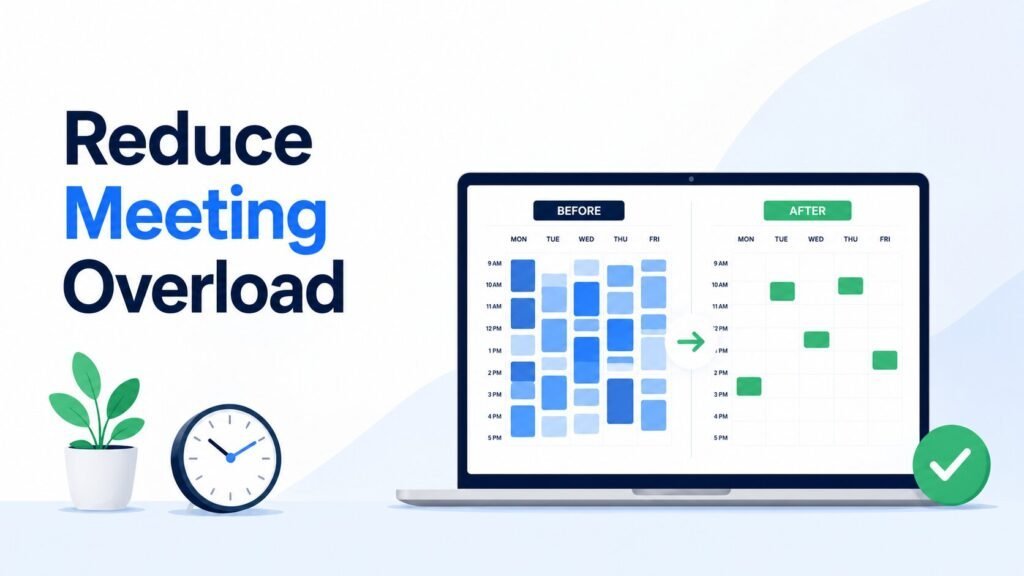

Some tasks demand attention the moment they appear. Others matter just as much, but they are easier to postpone because nothing is forcing an immediate response.
That difference is where the Eisenhower Matrix becomes useful. It gives you a clearer way to look at a crowded workload before reacting to whichever request feels loudest.
Used well, the Matrix can help you protect meaningful work without treating every deadline, message, or interruption as the same kind of priority.
Quick Overview
- The Eisenhower Matrix sorts tasks by urgency and importance.
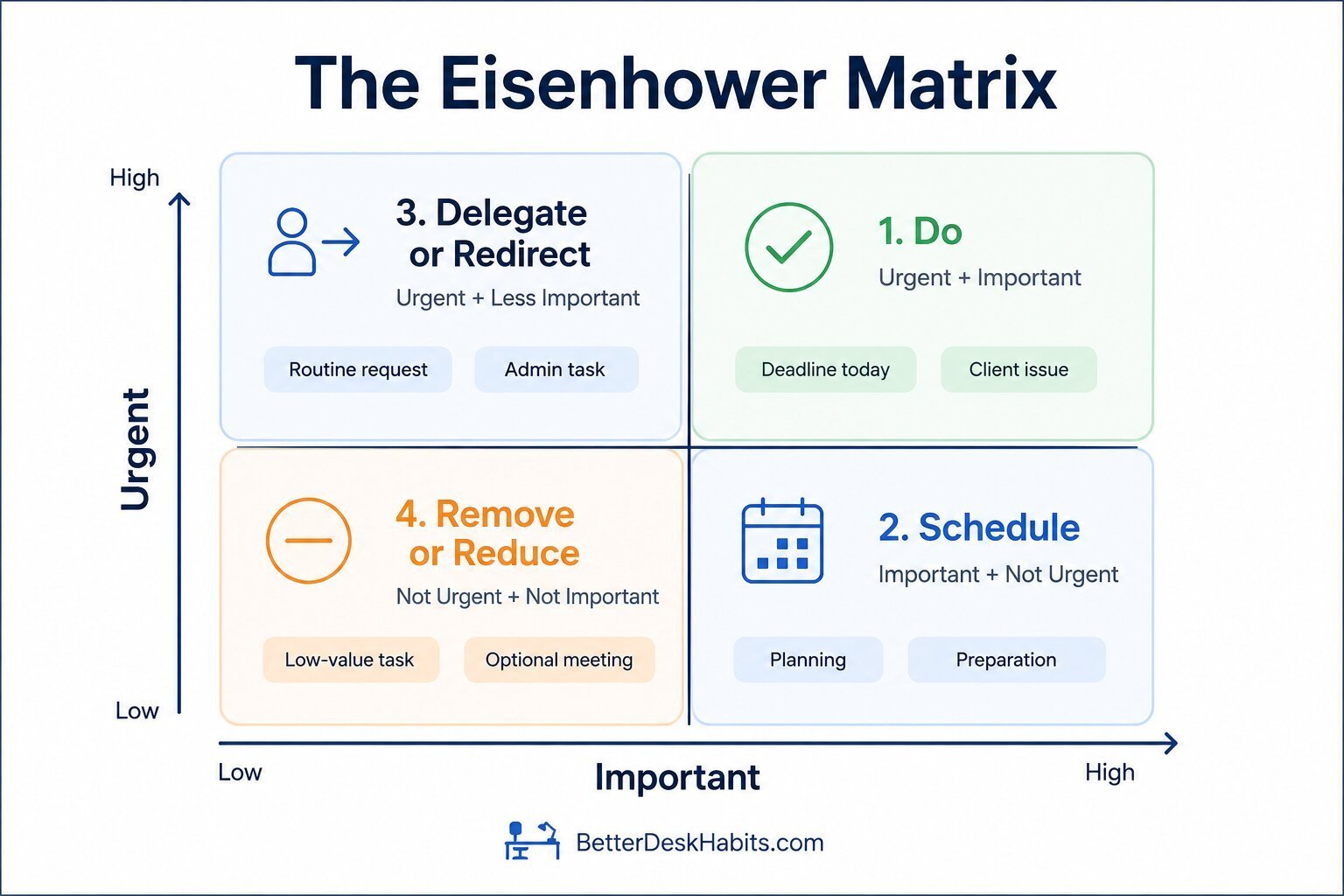
- Those two questions create four quadrants: do, schedule, delegate or redirect, and remove or reduce.
- Important but non-urgent work often needs deliberate protection so it does not keep getting postponed.
- The Matrix is useful for classifying work, but it cannot always rank several tasks inside the same quadrant.
What Is the Eisenhower Matrix?
The Eisenhower Matrix is a task-prioritization framework that sorts work according to two questions:
- Is this urgent?
- Is this important?
Those two judgments create four quadrants, with each quadrant suggesting a different response to the task.
| Urgent | Not Urgent | |
|---|---|---|
| Important | Quadrant 1: Do | Quadrant 2: Schedule |
| Not Important | Quadrant 3: Delegate or Redirect | Quadrant 4: Remove or Reduce |
The framework is also commonly called the Eisenhower Decision Matrix, urgent-important matrix, or Eisenhower method.
The name comes from Dwight D. Eisenhower’s well-known distinction between urgent and important problems. In a 1954 speech, Eisenhower referred to the idea while quoting an unnamed former college president rather than presenting the wording as his own.
The familiar four-quadrant productivity framework developed later and was popularized through Stephen Covey’s work.
The value of the Matrix is not in putting every task into a perfect box. It is in separating time pressure from meaningful importance before deciding what deserves attention.
You can also use the table above as a simple working template. Replace the quadrant labels with your current tasks and sort them according to the two questions.
Urgent vs. Important: What Is the Difference?
The Eisenhower Matrix becomes much more useful once you separate urgency from importance.
They can overlap, but they are not the same thing. A task can need attention quickly without being especially important, while valuable work can remain easy to postpone because nothing is demanding an immediate response.
What Makes a Task Urgent?
Urgent work has a real time constraint or a consequence that becomes harder to avoid if you wait.
Examples might include:
- correcting an error before a client deadline;
- responding to a problem that is blocking other work;
- completing something tied to a fixed submission time;
- handling an issue that will become more costly if it sits.
Urgency is not automatically created by pressure.
A message marked “ASAP,” several follow-ups, or a request from someone senior may feel urgent, but those signals do not always tell you what will actually happen if the work waits.
| What creates pressure | What to check instead |
|---|---|
| “Can you do this ASAP?” | What is the actual deadline? |
| Several follow-ups | What is blocked while this waits? |
| Request from a senior person | How does it compare with current commitments? |
| Newly arrived task | What happens if it waits? |
What Makes a Task Important?
Important work contributes meaningfully to an outcome, responsibility, commitment, or longer-term goal.
It may include:
- preparing for an important presentation;
- planning a project before problems appear;
- improving a process that repeatedly wastes time;
- developing a skill needed for future work;
- completing work tied directly to a major team or client outcome.
Important tasks are often easier to delay because the consequence is not immediate. That is one reason they can keep losing time to work that feels more urgent.
A Quick Test Before You Choose a Quadrant
When the distinction still feels unclear, use these two checks:
| Test | Ask |
|---|---|
| Urgency test | If this waits until the next reasonable work period, will a fixed deadline pass, someone become blocked, or a meaningful consequence get worse? |
| Importance test | Does completing this materially affect an important outcome, responsibility, risk, or commitment? |
The wording of the task does not determine the answer. The circumstances around it do.
That distinction becomes especially important with tasks that sound urgent but carry little consequence, or valuable work that has no immediate deadline.
The Four Eisenhower Matrix Quadrants
Once you have judged urgency and importance separately, each task falls into one of four quadrants. The quadrant does more than label the task. It suggests what should happen next.
Quadrant 1: Urgent and Important — Do
Quadrant 1 contains work that matters and cannot reasonably wait.
Typical workplace examples include:
- fixing an error before a client deadline;
- responding to an issue that has stopped important work;
- completing a required submission due today;
- handling a serious problem with an immediate consequence.
These tasks usually need direct attention.
The important distinction is that the urgency is real and the outcome matters. Quadrant 1 should not become a catch-all for anything stressful, visible, or recently requested.
Quadrant 2: Important but Not Urgent — Schedule
Quadrant 2 contains work that matters but does not yet demand immediate attention.
This might include:
- preparing for an upcoming presentation;
- planning the next stage of a project;
- improving a recurring process;
- preventing a problem before it becomes urgent;
- developing a skill you will need later.
This work is easy to postpone because there is often no immediate penalty for delaying it. Unfortunately, repeated postponement can eventually turn some Quadrant 2 tasks into Quadrant 1 problems.
Do not leave important work on a vague “later” list. Give it a real place in your schedule. Time blocking can help when valuable work needs protected space before more urgent requests take over.
Quadrant 3: Urgent but Not Important — Delegate or Redirect
Quadrant 3 contains work that seems to require quick attention but has relatively little connection to your most important responsibilities or may not require your particular involvement.
Examples could include:
- a routine status request another teammate can answer;
- a minor approval that belongs with a different owner;
- an interruption that sounds urgent but has little consequence;
- administrative work that could reasonably be handled elsewhere.
“Not important” does not mean the task has no value. It means that your time may not be the most valuable resource to spend on it.
Delegation is not always possible. If nobody else can take the task, look for the lightest reasonable way to handle it. That may mean redirecting the request, simplifying the response, or completing only what is actually necessary.
The point is to stop lower-value urgency from repeatedly displacing more important work.
Quadrant 4: Not Urgent and Not Important — Remove or Reduce
Quadrant 4 contains work with little time pressure and little meaningful value.
Examples might include:
- repeatedly reformatting an internal file nobody uses;
- attending an optional meeting that no longer affects your work;
- producing a report that is rarely read;
- continuing a routine simply because it has always been done.
Some Quadrant 4 work can be removed entirely. Other tasks may still exist because of workplace expectations or administrative requirements.
In those cases, look for ways to reduce the burden. The task might be simplified, automated, done less often, or limited to the minimum useful version.
Quadrant 4 is not about eliminating every low-value activity from a job. It is about noticing when time is going toward work that no longer justifies the attention it receives.
How to Use the Eisenhower Matrix at Work
The four quadrants are most useful when they lead to a clear next step. You do not need to rebuild the Matrix constantly or spend too much time deciding where every small task belongs.
1. Gather the Work Competing for Your Time
Start with the tasks that are actually active.
Include current deadlines, follow-ups, recurring responsibilities, unfinished work, and requests that other people are waiting on. You need enough visibility to compare the work fairly before sorting it.
If your tasks are scattered or unclear, a simple to-do list can help you capture them first. The Eisenhower Matrix should help classify the work, not become another place where tasks get lost.
2. Judge Urgency and Importance Separately
Look at each task through the two questions you have already established:
- Does this genuinely need attention soon?
- Does it meaningfully affect an important outcome, responsibility, or commitment?
Try not to let one answer influence the other automatically. A task can be urgent without being especially important, and important work can remain non-urgent for quite a while.
3. Place Each Task and Decide What Happens Next
Once you have judged urgency and importance, place the task in the quadrant that fits best and turn that classification into an action.
A Quadrant 1 task needs attention. Quadrant 2 needs protected time. Quadrant 3 needs an appropriate owner or a lighter way to handle it. Quadrant 4 should be reduced or removed where possible.
You may not always feel completely certain about the classification. That is fine. The Matrix is a decision aid, not a test with one perfect answer.
Avoid leaving tasks with vague labels such as “important” or “later.” Decide what will actually happen next.
4. Review the Matrix When Something Meaningful Changes
Tasks can move between quadrants.
A deadline may move closer. A project dependency may appear. A responsibility may shift to someone else. Work that seemed important may become less relevant after a decision changes.
Review the Matrix when circumstances change enough to affect urgency or importance. You do not need to reshuffle everything simply because a new message arrives.
When the Same Task Can Belong in Different Quadrants
One of the easiest mistakes with the Eisenhower Matrix is assuming certain types of tasks always belong in the same quadrant.
They do not.
A status update, report, meeting, or training session can land in very different places depending on its deadline, consequence, value, and who actually needs to handle it.
| Task | Context | Where it may belong |
|---|---|---|
| Status update | Needed for an important client decision this afternoon | Q1: Do |
| Status update | Routine request another teammate can answer | Q3: Delegate or redirect |
| Weekly report | Needed for an important planning decision next week | Q2: Schedule |
| Weekly report | Produced every week but rarely read or used | Q4: Remove or reduce |
| Training session | Required for work beginning next month | Q2: Schedule |
| Training session | Optional topic with little connection to current responsibilities | Q4: Remove or reduce |
This is why the task name does not determine the quadrant.
“Meeting” is not automatically Quadrant 3. “Planning” is not automatically Quadrant 2. “Email” is not automatically low-value work.
Context decides.
A routine report may be low value most weeks and suddenly become important when a major decision depends on it. A task that belonged in Quadrant 2 yesterday may move into Quadrant 1 when its deadline becomes immediate.
The Matrix works better when you classify the situation rather than the category of work.
Where the Eisenhower Matrix Stops Helping
The Eisenhower Matrix is useful for classifying work, but it does not solve every prioritization problem.
Knowing where the framework stops being useful can prevent you from forcing complicated decisions into four boxes that are no longer giving you enough information.
When Everything Ends Up in Quadrant 1
If nearly every task feels urgent and important, the Matrix stops creating meaningful separation.
That may point to a broader issue with workload, deadlines, planning, or expectations. Simply labeling everything Q1 does not help you decide what should happen first.
At that point, you need to compare the work more closely rather than keep reclassifying it.
When Several Tasks Share the Same Quadrant
The Matrix can tell you that four tasks are all urgent and important, but it cannot automatically rank those four tasks.
You may still need to compare:
- the consequences of delay;
- which work is blocking other people;
- which deadlines are genuinely fixed;
- the impact of each outcome;
- whether the task specifically requires your involvement.
That is where a broader approach to prioritizing tasks at work becomes more useful than the Matrix alone.
When Capacity or Dependencies Are the Real Problem
The Matrix also cannot make an unrealistic workload fit into the time available.
You may classify every task correctly and still have ten hours of important work competing for five hours of time. Complex dependencies can create the same problem when one task has to happen before several others can move.
In those situations, the issue is no longer simply which quadrant a task belongs in. You may need to renegotiate deadlines, change scope, reassign work, or decide which commitment should take precedence.
The Eisenhower Matrix works best as a classification tool, not a complete workload-planning system.
Frequently Asked Questions
Is the Eisenhower Matrix Better Than a To-Do List?
They solve different problems. A to-do list helps you capture and organize what needs to be done, while the Eisenhower Matrix helps you decide how to treat those tasks based on urgency and importance. You can use both together rather than choosing one over the other.
Can Teams Use the Eisenhower Matrix?
Yes. Teams can use the Matrix to discuss what needs immediate attention, what should be scheduled, and what can be redirected or reduced. If team members place the same task in different quadrants, that can also reveal unclear priorities or ownership.
How Many Tasks Should Be in Each Eisenhower Matrix Quadrant?
There is no ideal number. The Matrix should reflect your actual workload rather than force tasks into equal groups. If one quadrant stays unusually crowded, the pattern itself may reveal something about how the work is being planned or classified.